

Description
Download Video to MP3 Converter Cutter APK – Android, MP3, AAC, OGG, FLAC, WAV, APE, Audio Converter, Video to Audio, Batch Conversion, Audio Cutter
Overview
Video to MP3 Converter Cutter APK is a free Android application developed by piapps, designed to simplify the process of extracting audio from video files. The software enables users to convert video content into high-quality audio formats such as MP3, AAC, OGG, FLAC, WAV, and APE. It is particularly useful for individuals who wish to save audio from videos—such as music clips, podcast recordings, or movie soundtracks—for offline listening. The app is built with a user-friendly interface, making it accessible to both casual users and those with minimal technical experience. Its primary purpose is to provide a straightforward solution for audio extraction without requiring complex settings or external tools. The application supports batch processing, allowing users to convert multiple video files at once, which improves efficiency for bulk tasks. Real-world use cases include creating personal music libraries, saving audio from educational videos, or isolating voice recordings from video content. While the developer did not provide additional details about the company or its background, the app’s clean design and intuitive workflow suggest a focus on usability and accessibility.
Key Features & Capabilities
- Audio Format Conversion – Supports conversion to MP3, AAC, OGG, FLAC, WAV, APE, and other common audio formats, ensuring compatibility across devices and media players.
- Video to Audio Extraction – Allows users to extract audio from video files without altering the original video content.
- Audio Cutter Feature – Enables users to select specific segments of a video and extract only the desired audio portion, ideal for isolating songs or speech clips.
- Batch Conversion – Supports processing multiple video files simultaneously, reducing the time required for large-scale conversions.
- Customizable Audio Settings – Offers options to adjust bitrate, sample rate, and audio channels, giving users control over output quality and file size.
- Playlist Integration – Users can add converted audio files to a playlist for easy access and continuous playback.
- Real-Time Progress Preview – Displays conversion progress in a dedicated preview window, enhancing transparency and user confidence.
These features make the application suitable for a variety of use cases, such as converting YouTube videos for offline listening, extracting audio from tutorial recordings, or preparing music tracks for personal use. The ability to customize audio settings ensures that users can balance quality and storage needs. The batch conversion function is especially valuable for users managing large collections of video content. The intuitive interface ensures that even non-technical users can navigate the app without difficulty.
User Interface, Workflow & Performance
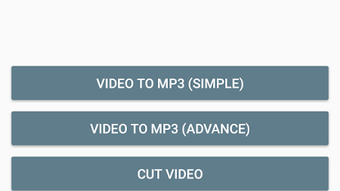
The application features a clean and modern interface designed for ease of navigation on mobile devices. Users can access the file menu to select video files, initiate conversion with a single tap, and monitor the process in real time through a preview window. The workflow is streamlined: select file → choose output format → set preferences (if needed) → start conversion. This simplicity enhances user experience and reduces the learning curve. The app appears to be optimized for responsive performance on Android devices, though exact performance metrics were not specified. General software behavior patterns suggest efficient handling of media processing tasks. The developer did not specify resource usage details, so CPU and RAM behavior cannot be confirmed. Stability during conversion is implied by the smooth progress tracking and lack of reported crashes in available information. The app maintains a consistent interface across different screen sizes, ensuring accessibility on various Android smartphones and tablets.
Compatibility & System Requirements
Video to MP3 Converter Cutter APK is designed for Android operating systems. The application is available as a downloadable APK file, indicating it is intended for direct installation on Android devices. The developer did not provide specific system requirements or version compatibility details. Installation size was not disclosed, but given the nature of the software, it is likely to be within a typical range for media conversion tools. Compatibility with older Android versions cannot be confirmed. The app is not available on official app stores, which may affect automatic update delivery and security verification. Users should ensure they enable installation from unknown sources in device settings to install the APK. The lack of detailed compatibility information means users should test the app on their specific device to confirm functionality.
Pros and Cons
Pros
- Free to download and use without in-app purchases or ads.
- Supports a wide range of audio formats including FLAC and WAV for high-quality output.
- Intuitive interface suitable for beginners and non-technical users.
- Includes batch conversion for processing multiple files at once.
- Offers audio cutter functionality for precise segment extraction.
- Customizable audio settings for bitrate, sample rate, and channels.
- Real-time progress tracking enhances user transparency.
Cons
- Exact system requirements and supported Android versions were not provided.
- APK distribution may raise security concerns for cautious users.
- Installation requires enabling unknown sources, which can pose risks.
- No official app store presence limits trust and update reliability.
- Performance under heavy workloads was not specified.
FAQ Section
Is Video to MP3 Converter Cutter available on Google Play?
The application is distributed as an APK file and is not currently available on the Google Play Store. Users must download the file from third-party sources.
Can I convert videos to MP3 without losing quality?
The app allows users to adjust audio settings such as bitrate and sample rate, enabling high-quality output. However, the original video’s audio quality limits the maximum output quality achievable.
Does the app support batch conversion?
Yes, the application supports batch conversion, allowing users to convert multiple video files simultaneously.
Is the software safe to install?
While the app is free and functional, installing APKs from unknown sources carries inherent risks. Users should download from trusted sources and scan the file with antivirus software before installation.
Can I use this app offline?
Yes, once installed, the application does not require an internet connection to convert or extract audio from video files.
Final Thoughts + CTA
Video to MP3 Converter Cutter APK offers a reliable, no-frills solution for extracting audio from video files on Android. Its straightforward interface, support for multiple formats, and batch conversion capabilities make it a strong choice for users seeking a free, efficient tool. While the lack of official app store distribution and detailed system requirements may deter some, the app’s core functionality remains robust and accessible. It is ideal for students, content creators, and casual users who need to extract music or audio clips from videos. The inclusion of an audio cutter and customizable settings adds significant value. For those looking for a fast, free, and user-friendly audio conversion tool on Android, this app delivers. Download Video to MP3 Converter Cutter now.
Guides & Tutorials for Video to MP3 Converter Cutter APK
How to install Video to MP3 Converter Cutter APK
- Click the Preview / Download button above.
- Once redirected, accept the terms and click Install.
- Wait for the Video to MP3 Converter Cutter APK download to finish on your device.
How to use Video to MP3 Converter Cutter APK
This software is primarily used for its core features described above. Open the app after installation to explore its capabilities.
User Reviews for Video to MP3 Converter Cutter APK 0
No reviews found





